
September 17, 2026 · 12 min read
Introduction
You open your dashboard, or a customer calls to say they can't find you on Google Maps, and there it is: your Google Business Profile has been suspended.
For a local business, that notice hits hard. Your Google Business Profile (GBP) is often your top source of phone calls, direction requests, website visits, and new customers. When it goes down:
- Calls stop. The "Call" button that drove a big share of your inbound leads is gone.
- Local Pack rankings vanish. Competitors take over the three-pack spots you worked hard to earn.
- Reviews and photos go dark. Years of social proof disappear from public view.
- Revenue takes a hit, fast. For service businesses like plumbers, locksmiths, and HVAC companies, a suspension can cost thousands of dollars a week.
Here's the good news: a Google Business Profile suspension is common, and it is usually fixable. Google's automated systems flag thousands of listings every day, including many run by legitimate, law-abiding businesses. A suspension is not a final verdict. It's a request for proof.
This guide covers:
- The difference between soft and hard suspensions, and how to tell which one you have
- The most common reasons Google suspends profiles
- A step-by-step reinstatement process using the Google Business Profile Appeals Tool
- The evidence rules that make or break appeals (including the 60-minute upload window)
- What to do if your appeal is denied
- How proactive Google Business Profile Management keeps this from happening again
Take a breath. Then work through it in order. Most failed reinstatements come from people appealing too quickly, before they've fixed the underlying problem.
Understanding Suspension Types: Soft vs. Hard Suspensions
Not every GBP suspension is the same. Knowing which type you're dealing with tells you how urgent the problem is and what's at stake.
What Is a Soft Suspension?
A soft suspension (Google may describe it as the profile being suspended for a specific user, or management access being restricted) affects your ability to manage the listing, not the listing's public visibility.
Key characteristics:
- ✅ The profile is still visible on Google Search and Google Maps
- ✅ Reviews, photos, and business details usually remain public
- ❌ You can't edit business information, respond to reviews, or post updates
- ❌ The profile may show as unverified or "suspended" in your dashboard
- ❌ Ownership or manager access may be restricted or removed
A soft suspension often points to a problem with the Google account managing the profile or a verification issue, not the business itself. Customers can still find you, but you've lost the controls. Take it seriously: unresolved soft suspensions can turn into hard suspensions if the underlying problem continues.
What Is a Hard Suspension?
A hard suspension is the serious one. The entire profile is removed from Google Search and Google Maps.
Key characteristics:
- ❌ The listing no longer appears in Search, Maps, or the Local Pack
- ❌ Reviews, photos, Q&A, and posts are hidden from the public
- ❌ Branded searches for your business name may show only your website (or competitors)
- ❌ Management functions are fully locked
Hard suspensions usually mean Google believes the business itself doesn't meet its eligibility rules. Common examples: a location that can't be verified as real, a prohibited address type, or signs of a fake or spam listing.
Soft vs. Hard Suspension at a Glance
| Factor | Soft Suspension | Hard Suspension |
|---|---|---|
| Visible on Google Maps/Search | Yes | No |
| Reviews publicly visible | Yes | No |
| Can edit the profile | No | No |
| Typical root cause | Account, verification, or ownership issue | Business eligibility, address, or spam violation |
| Urgency | High | Critical |
How to Check Your Profile Status
- Sign in to the Google account that owns or manages the profile.
- Open your profile from Google Search (search your business name while logged in) or through the Google Business Profile Manager at business.google.com.
- Look for a status notice such as "Suspended," "Your profile is suspended," "Unverified," or a red warning banner.
- For multi-location accounts, check the Businesses list view. Each location shows its own status, so you can see if one listing or many are affected.
- Open a private/incognito browser and search Google Maps for your business name and city. If it doesn't appear, you're most likely dealing with a hard suspension.
Why Did Your Profile Get Suspended? (Top Triggers)
Google rarely tells you exactly why a profile was suspended. The notice usually just points to its Guidelines for representing your business on Google. You'll need to work out the cause yourself. These are the most common triggers.
1. Address & Location Issues
Address problems are the number-one cause of Google Business Profile suspensions. Google requires that a business either:
- Has a permanent physical location where it meets customers in person during stated hours, or
- Travels to customers as a Service Area Business (SAB)
Common address violations:
- P.O. Boxes and mailbox services. UPS Store boxes and similar mail drops are not eligible business locations, even when formatted as a "suite."
- Virtual offices. Shared addresses rented only for mail or occasional use are a major red flag, especially without permanent, dedicated signage and staff present during hours.
- Coworking spaces. These are eligible only if you have a dedicated, staffed, signed space and actually serve customers there during business hours.
- Incorrect SAB configuration. Showing a home address when you serve customers at their locations. Home-based service businesses should hide their address and set a service area.
- Service areas that are too large. Google's guidelines say service areas generally shouldn't extend more than about two hours' driving time from your base.
- Addresses that don't match reality. Wrong suite numbers, mismatched Street View imagery, or a location that has visibly closed.
2. Keyword-Stuffed Business Names
Your GBP name must match your real-world business name: what's on your signage, website, legal documents, and branding.
❌ Violation: "Joe's Plumbing Best Cheap Plumber Miami 24/7"
✅ Compliant: "Joe's Plumbing"
Adding keywords, service descriptions, city names, or taglines to your business name is one of the easiest ways to get flagged. It can come from your own edits or from a competitor reporting you. It's also one of the most common reasons appeals get denied: owners appeal without first fixing the name.
3. Recent Major Edits
Google's systems watch closely for sudden, significant changes to a profile. Changing several core fields at once can look like a hijacked or repurposed listing:
- Business name
- Business address
- Primary category
- Website URL
- Phone number
Changing the name, address, and category in one session is a classic suspension trigger, even when every change is legitimate (for example, after a rebrand or relocation).
4. Account-Level Issues
Sometimes the problem isn't the listing. It's the Google account behind it. Account-level triggers include:
- A manager or owner account tied to other suspended profiles
- Suspicious login activity (logins from unusual countries, many devices, or VPNs)
- Accounts that manage an unusually large number of unrelated listings without being set up as an organization or agency account
- Recently created Google accounts with no history suddenly claiming or editing established profiles
- Policy violations on other Google products tied to the same account
When the account is flagged, every profile it manages can be suspended at once, which is why agencies and multi-location operators sometimes lose dozens of listings overnight.
5. Review Manipulation or Spam Flags
Google takes review integrity seriously. These patterns can put your profile under scrutiny:
- Sudden review spikes (for example, going from 2 reviews a month to 40 in a week)
- Incentivized reviews (discounts, gifts, or contest entries in exchange for reviews)
- Review gating (only asking happy customers to leave reviews)
- Reviews posted from the same IP address or device, including in-store tablets or kiosks
- Buying reviews or using review exchange networks
- Competitor spam reports. Competitors can and do report listings. If your profile has any real guideline violation, a report can trigger a manual review and a suspension.
The Step-by-Step Google Business Profile Reinstatement Process
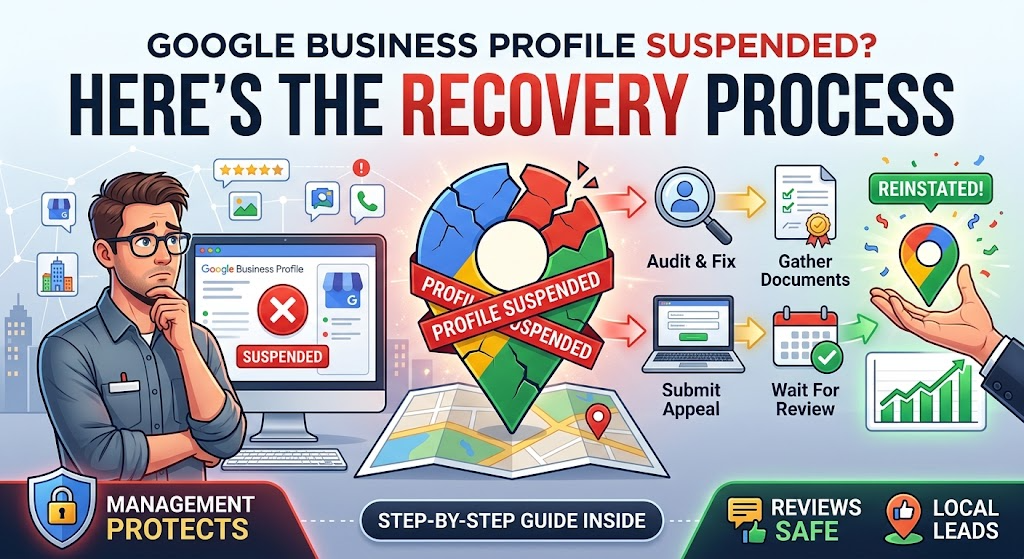
This is the core of the recovery process. Follow the steps in order. Skipping ahead, especially straight to the appeal, is the most common reason reinstatement requests fail.
Step 1: Conduct an Audit & Fix the Root Cause FIRST
When you submit an appeal, a reviewer checks your listing as it currently stands. If the violation is still there, the appeal will be denied, and each denial makes the next attempt harder.
Run a full compliance audit. Check each item:
- Business name matches your signage, website, and legal/registration documents exactly. No extra keywords, locations, or taglines.
- Address is a real, permanent, staffed location, not a P.O. Box, mail drop, or virtual office.
- Service Area Business settings are correct. If you don't serve customers at your address, it's hidden and a reasonable service area is set.
- Phone number is a local or business-specific number you control. Avoid call-tracking numbers as the primary number, or if you use one, list your main line as an additional number.
- Primary category accurately describes your core business, not the category you wish you ranked for.
- Website URL points to a page you own that shows the same business name, address, and phone number.
- Hours reflect when you actually serve customers.
- Duplicate listings. Search Google Maps for your business name, phone number, and address to find duplicates. Note them for resolution.
- Account security. Review all owners and managers. Remove unknown or unused users and turn on 2-Step Verification.
- Review practices. Stop any incentivized, gated, or bulk review campaigns right away.
If your profile is soft-suspended and you can't edit it, document what needs fixing and fix everything you control outside the profile (website, signage, citations). You can mention those corrections in your appeal.
Step 2: Gather Required Supporting Evidence
Evidence is where most appeals are won or lost. Google needs proof that your business exists, operates at the stated address, and uses the stated name.
Strong evidence includes:
📄 Business Registration & Legal Documents
- State business license or registration certificate
- Articles of incorporation or organization (LLC/Corp filings)
- DBA / fictitious name certificate (essential if your GBP name differs from your legal entity name)
- Professional or trade licenses (contractor, medical, legal, and so on)
🧾 Tax Documents
- IRS EIN confirmation letter (CP 575 or 147C)
- Sales tax permit or state tax registration
- Local business tax receipt
💡 Utility Bills & Proof of Address
- Recent utility bill (electric, water, gas, internet, or landline phone) showing the business name and address
- Commercial lease agreement (the relevant pages showing business name, address, and signatures)
- Business insurance certificate listing the location
📸 Photographic Evidence
- Permanent exterior signage showing the business name. It must be permanently affixed. Temporary banners, A-frames, and paper signs in windows don't count.
- A wider shot showing the signage in context with the building, street number, and neighboring storefronts
- Interior photos of your workspace, equipment, inventory, or customer area
- Branded vehicles (for service area businesses) showing the business name, ideally with your license plate visible
Evidence best practices:
- ✅ Use recent documents (bills from the last 30–90 days where possible)
- ✅ Submit clear, full-page scans or photos. No cropping, blur, or glare.
- ✅ Don't edit, annotate, or redact anything beyond truly sensitive account numbers. Altered documents are a fast track to denial.
- ✅ Have all files ready in one folder before you start the appeal. You'll see why in Step 4.
Step 3: Access the Google Business Profile Appeals Tool
Google handles suspension appeals through its official Google Business Profile Appeals Tool, reachable through the Google Business Profile Help Center (search "Google Business Profile appeals tool" or follow the link in your suspension notice or email).
- Sign in with the Google account that owns or manages the suspended profile.
- The tool will show the profile(s) associated with your account and their current status.
- Select the suspended profile you want to appeal.
- Review the policy violation Google cites, if one is shown.
Step 4: Submit the Appeal & Evidence
Once you start the appeal, you'll be asked to confirm details and, in many cases, upload supporting evidence through a linked evidence form.
Submission checklist:
- Confirm your business details exactly as they appear on the profile.
- Open the evidence form only when your files are ready.
- Upload your strongest evidence first. Lead with a document that shows both the exact business name and exact address, such as a utility bill or business license.
- Add supporting photos, especially permanent exterior signage.
- Write a brief, factual explanation if a text field is available. For example:
> "Joe's Plumbing is a licensed plumbing contractor operating from 123 Main St, Suite 4, Miami, FL 33101. We've corrected our business name to match our state registration and signage. Attached are our state business license, a recent utility bill, and photos of our permanent exterior signage."
- Keep it professional. Don't argue, vent, or accuse competitors. Stick to facts that demonstrate compliance.
- Submit and take a screenshot of the confirmation.
Step 5: What to Do While Waiting
Once your appeal is submitted, patience and discipline matter a lot.
✅ Do:
- Track your appeal status in the Appeals Tool. Statuses typically show as under review, approved/reinstated, or denied.
- Watch your email (including spam folders) for messages from Google Business Profile support.
- Keep your website, citations, and signage consistent with the information on the profile.
- Keep a log of submission dates, case IDs, and any correspondence.
❌ Don't:
- Don't submit duplicate appeals for the same profile. Multiple submissions don't speed things up and can make your case messier.
- Don't edit the profile while it's under review, if you have access. Changes during review can reset or complicate the process.
- Don't start aggressive review campaigns to "make up" for lost visibility.
What to Do If Your Appeal Is Denied
A denial is discouraging, but it's not always the end. Many businesses are reinstated after a first denial by improving their evidence and fixing issues they missed.
Requesting an Additional Review (Second-Stage Appeal)
- Re-audit your profile from scratch. A denial usually means Google still sees a violation, or your evidence didn't prove compliance. Re-check the name, address, SAB settings, and category with fresh eyes, or have a third party review it.
- Check the Appeals Tool for next steps. Depending on the case, Google may offer the option to submit additional information or request further review. Use it only once you have new, stronger evidence.
- Address the specific gap. If your first submission leaned on a lease, lead with a utility bill and business license this time. If your signage photo was a close-up, add a wide shot showing the building and street number.
- Don't resubmit the same package. Sending the same documents again rarely changes the outcome.
Preparing Stronger, Unedited Proof: The Video Walkthrough
When documents aren't enough, video evidence is often the most persuasive proof you can provide. It's hard to fake and gives reviewers context that photos can't.
How to record an effective verification video:
- 🎥 Record in one continuous, unedited take. No cuts, filters, or music.
- 🎥 Start outside on the street. Show the street sign, nearby landmarks, or neighboring businesses to establish location.
- 🎥 Show the building number and your permanent exterior signage.
- 🎥 Walk to the entrance and unlock the door (proving you have access), or show your storefront during business hours.
- 🎥 Walk inside and show your workspace, equipment, inventory, and any business documents or licenses displayed on the wall.
- 🎥 For service area businesses: Show your branded vehicle, its license plate, your tools and equipment, and business documents such as registration or insurance cards.
- 🎥 Keep it short and focused, ideally one to three minutes.
This format mirrors Google's own video verification process, so it's what reviewers are used to seeing.
Escalating via the Google Business Profile Help Community
If you've exhausted the standard appeal routes, or believe your case has been handled incorrectly, the Google Business Profile Help Community can be a valuable escalation path.
- Post a detailed, factual thread describing your business, the suspension, the steps you've taken, and your appeal outcomes. Leave out sensitive personal data.
- Include your business name and a public Maps link (if still visible) so volunteers can review the listing.
- Product Experts are experienced volunteers recognized by Google. They can spot guideline issues you've missed, and in some cases they can escalate well-documented, legitimate cases to Google staff.
- Be honest and receptive. Product Experts often give blunt feedback. If they point out a violation, fix it. Pushing back rarely helps.
How Proactive Google Business Profile Management Prevents Reinstatement Disasters
The best suspension strategy is to never need one. Recovering from a suspension can take days or weeks and cost real revenue. Prevention costs far less. It also protects your rankings: see how Google actually ranks local businesses in 2026.
The Role of Ongoing Google Business Profile Management in Risk Mitigation
Professional Google Business Profile Management isn't just posting updates and answering reviews. At its core, it's risk management for one of your most valuable local marketing assets. A strong management process includes:
- Regular compliance audits to catch guideline violations before Google (or a competitor) does
- Monitoring for unauthorized edits. Google and the public can suggest changes to your listing, and those edits sometimes go live without notice.
- Duplicate listing detection and cleanup
- Review velocity monitoring to keep review growth natural and policy-compliant
- Staying current on guideline changes, which Google updates regularly and often without much fanfare
For multi-location brands and agencies, centralized Google Business Profile Management is essential. One bad edit rolled out across 50 locations can trigger 50 suspensions at once.
Best Practices for Changing Profile Information Without Triggering Security Filters
Businesses rebrand, move, and change. Here's how to update your profile safely:
- Change one core field at a time. Update the name, then wait for it to be approved and stable (often a week or more) before changing the address or category.
- Update your real-world footprint first. Put up new signage, update your website, and update key citations before changing your GBP.
- Expect re-verification. Major changes, especially address changes, may require re-verification. Have your evidence ready.
- Avoid bulk edits across many locations at once unless you're using properly configured organization tools.
- Document every change with the date, what changed, and who made it, so you have a clear record if a suspension ever happens.
Managing User Permissions Safely
Access control is one of the most overlooked parts of Google Business Profile Management.
- Keep ownership in-house. The business should always hold primary ownership of its profile. Agencies and contractors should get Manager access, not ownership.
- Use the right roles. Owners can manage users and remove the profile. Managers can edit most information. Give each person the minimum access they need.
- Agencies should use organization accounts. Managing client listings through a properly structured organization or agency account is safer than piling dozens of profiles onto one personal Gmail account.
- Audit users quarterly. Remove former employees, old agencies, and unknown accounts.
- Enable 2-Step Verification on every account with access.
- Never share login credentials. Invite users through the profile's user management settings instead.
Keeping NAP Consistent Across Local Citation Ecosystems
NAP (Name, Address, Phone) consistency tells Google your business information is trustworthy. Inconsistent data across the web can undermine your listing's credibility and complicate verification.
- Standardize your NAP format (e.g., "Suite 4" vs. "Ste. 4" vs. "#4") and use it everywhere.
- Audit major citation sources: Apple Business Connect, Bing Places, Yelp, Facebook, BBB, industry directories, and data aggregators.
- Update citations promptly after any move, rebrand, or phone number change.
- Match your website exactly. Your footer, contact page, and schema markup should all reflect the same NAP shown on your GBP.
- Clean up old listings from previous addresses or business names that could create confusion or duplicates.
Conclusion: Your Recovery Roadmap
A suspended Google Business Profile is stressful, but it's a solvable problem. To recap the recovery roadmap:
- Identify your suspension type. Soft (visible, but you've lost management access) or hard (removed from Search and Maps).
- Find the root cause. Address issues, keyword-stuffed names, rapid major edits, account problems, or review manipulation.
- Fix everything before you appeal. Your profile must fully comply with Google's guidelines.
- Gather matching evidence. Every document must show the exact business name and address on your profile.
- Submit through the Appeals Tool. Have your files ready before opening the evidence form, because the 60-minute window is strict.
- Wait with discipline. No duplicate appeals, no new listings, no rushed edits.
- If denied, strengthen your case. Better evidence, an unedited video walkthrough, and escalation through the Help Community.
- Prevent the next one with proactive Google Business Profile Management.
Your Google Business Profile is one of the most valuable assets your local business owns. It deserves the same protection as your website, your reputation, and your revenue.
Need Help Recovering or Protecting Your Listing?
Whether you're dealing with a suspension right now or want to make sure it never happens, a professional review can save you weeks of lost calls and leads. Get a local SEO audit to find hidden guideline risks across your profiles, or talk to our team about ongoing Google Business Profile Management: compliance monitoring, safe change management, permission control, and citation consistency, so you can focus on running your business.
👉 , and don't wait for the next suspension notice to take your profile seriously.
Author Bio
Dan Powers is the Founder & CEO of Pwr Up Digital, a local SEO service helping service businesses across New Jersey get found by the people already searching for what they do. He spent over two decades in SEO, including as VP of Product at TMP Worldwide, before starting Pwr Up Digital in 2022. Dan personally handles strategy calls for every client — book a free audit here.